
Flipp: Shop Grocery Deals
Flipp Operations Inc.Shopping
4.836.20K Reviews
- Version
- 106.0.0
- Installs
- 10.00M
- Age Rating
- Everyone
Screenshots
Our Review of Flipp: Shop Grocery Deals
 Analysis by Appyee
I use Flipp as a weekly shopping companion rather than as a general online marketplace. Its job is simple: bring store circulars, local promotions, and discounts into one place so I can check what is worth buying before I leave home. That focus makes it especially useful for grocery planning, household shopping, and comparing nearby retailers without collecting paper flyers from every mailbox.
The app comes from Flipp Operations Inc. and sits in the Shopping category. It is free to download and use, with an Everyone content rating, so it is approachable for a wide range of shoppers. The current release is version 106.0.0, and it supports devices running Android 7.0 or later. On the popularity side, it has passed 10 million installs and holds a 4.8 average from around 428 thousand ratings, which suggests that the basic idea is working well for a large audience.
How Flipp fits into a real shopping routine
My first impression is that Flipp is most useful before the shopping trip, not while I am already standing in a checkout line. I open it when I want to decide which stores deserve my time, scan the current circulars, and make a short list of items that are genuinely discounted. This turns a vague “I need groceries” trip into a more deliberate plan.
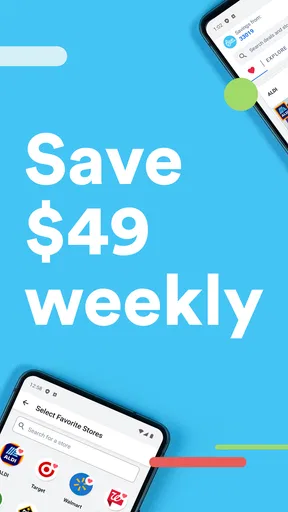
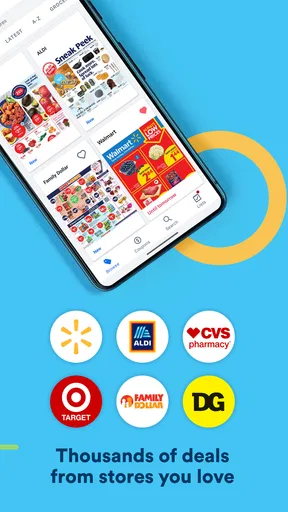
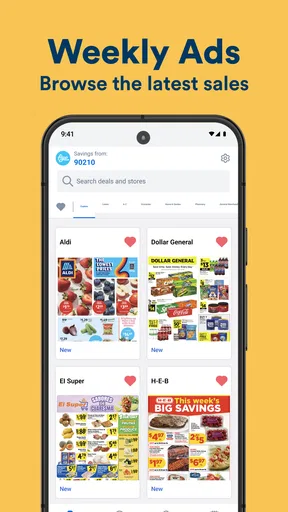
The main screen is built around weekly ads and deals from familiar stores. Instead of opening several individual retailer apps, I can browse their offers from one shopping-focused interface. That saves time when I am comparing prices across supermarkets, pharmacies, department stores, and other participating retailers in my area.
The important distinction is that Flipp is primarily a discovery and planning tool. It helps me find advertised savings; it does not replace every retailer’s own app, website, loyalty account, or checkout process. If I need store-specific rewards, digital receipts, delivery scheduling, or a detailed product history, I may still need the retailer’s service afterward.
The free-access question is refreshingly straightforward
For someone deciding whether to try it, the cost is easy to understand: Flipp is a free app. That means I can install it, browse its shopping material, and decide whether it fits my routine without committing to a purchase. There is no paid entry price to weigh against the first use.
That free access changes how I judge its value. I do not expect it to replace every shopping tool or guarantee the lowest possible price on every item. I expect it to reduce the time spent hunting through weekly advertisements. If it helps me notice even a few worthwhile offers during a normal grocery-planning session, it can justify the small amount of attention it requires.
Still, “free” does not automatically mean effortless. I have to review the offers, check whether the product and size match what I actually need, and confirm the details at the retailer when necessary. The app can make deal discovery faster, but it cannot make an advertised offer relevant to my household. A discount on an item I would not otherwise buy is not a saving in any meaningful sense.
What I actually get from the browsing experience
The strongest part of Flipp is the concentration of information. Weekly ads are usually temporary and scattered across different channels, while this app gives me a single place to inspect them. That is particularly helpful when several stores are located along the same route and I want to decide whether one extra stop is worth it.
I also like the way the service encourages shopping with a plan. Rather than scrolling through a retailer’s entire advertisement without a goal, I can think in categories: breakfast items, cleaning supplies, snacks for the weekend, or ingredients for a family meal. That mindset makes the app more useful than simply chasing every bright “sale” label.
A practical workflow is to browse the stores first, then write down only the offers connected to a planned purchase. After that, I compare the selected items with what I already have at home. This two-step approach prevents the common mistake of treating a long circular as a shopping list. Flipp is better when I use it as a filter, not as an invitation to buy more.
A realistic weekly example
Imagine I am planning a Saturday grocery trip for a household that needs coffee, cereal, laundry detergent, vegetables, and a few lunch items. I can open Flipp during the week, look through nearby store advertisements, and note which retailers are featuring the products or categories I need. If one store has the best grocery offers while another has the household item I need, I can decide whether the second stop is worthwhile or whether convenience matters more.
The useful decision is not always “go to the cheapest store.” Fuel, travel time, parking, and the temptation to make extra purchases all have value. In my experience, the app works best when I set a limit before shopping: one main store, perhaps one additional stop, and a list based on actual needs. That turns the information into a practical plan instead of a reason to visit every nearby retailer.
Small habits that make the app more effective
One of the less obvious strengths is that it rewards preparation. I get more from it when I check the ads before making my meal plan, not after I have already decided on every recipe. If a suitable ingredient is promoted at a nearby store, I can adjust the plan without forcing myself to buy something unfamiliar or unnecessary.
Another useful habit is to compare the complete purchase rather than one headline item. A store may advertise an attractive price on a single product, but the rest of the basket may be more expensive or require a longer trip. Flipp helps me see the individual opportunities; I still need to judge the basket as a whole.
I also recommend separating “need soon” from “nice to have.” When I scan an ad, I mentally place each interesting item into one of those groups. The first group can become part of my shopping plan. The second group should survive a second look before it reaches the cart. This is a simple way to use a deal app without letting promotions control the budget.
Where it differs from retailer apps and paper circulars
Compared with paper flyers, Flipp is faster to search through and easier to consult when I want to compare several stores. I do not need to keep a pile of printed advertisements or remember which leaflet contained a particular offer. The digital format also suits shoppers who plan on the move.
Compared with individual retailer apps, its advantage is breadth. A store app may go deeper into that retailer’s own loyalty program, online ordering, delivery options, or account features. Flipp is more useful at the earlier stage, when I am asking, “Which stores should I consider this week?” The trade-off is that a single-store app may offer more detail once I have already chosen where to shop.
Compared with manually searching store websites, Flipp offers a more focused shopping context. I am not starting with a web search and sorting through unrelated pages. The experience is built around current advertisements and discounts. However, anyone who wants extensive product specifications, customer reviews, inventory checks, or online purchasing may prefer going directly to the retailer.
The limitations I noticed while using it
The app depends on the usefulness of the advertisements available for the stores in my area. If the local selection is thin, or if the stores I use most do not provide the offers I care about, the central comparison benefit becomes less impressive. This is a location-sensitive service, so its usefulness can vary from one shopper to another.
Weekly promotions can also require careful reading. A deal may apply only to a particular size, flavor, quantity, or variety, and the item I want may not match the image that first caught my attention. I treat the circular as a starting point and verify the details before changing my whole shopping plan around it.
There is also a mental cost to browsing too much. A large collection of promotions can make a short grocery trip feel like a research project. I have found that a time limit helps: I scan the stores I realistically might visit, save the few relevant offers, and stop. The app is less valuable when I spend longer comparing tiny differences than I would have spent simply shopping.
Another trade-off is that advertised savings do not always equal the lowest final spending. A promotion can encourage a larger quantity than I need, and a special offer can make an unfamiliar brand seem attractive even when my usual product is perfectly adequate. Flipp gives me information, but the judgment remains mine. That is a strength for independent shoppers, although people looking for completely automatic recommendations may find the process more hands-on than expected.
Who is likely to get the most value?
I would recommend Flipp to people who shop at multiple local stores and want a quick way to compare weekly offers. It is also a good match for households that plan meals, manage a tight grocery budget, or regularly buy household essentials. The free price makes it easy to test without financial risk, and the broad store-oriented approach can reduce the need to check several separate sources.
It is particularly helpful for a shopper who enjoys making decisions before leaving home. If I know my route and my priorities, the app can help me choose whether a deal is worth an additional stop. It can also be useful for families where one person plans the list and another does the shopping, because the browsing stage can happen before the trip rather than in the aisle.
I would be more cautious about recommending it to someone who buys almost everything from one retailer and already feels satisfied with that store’s own app. In that case, Flipp may add another place to check without adding much new information. It is also not the best fit for a shopper who wants instant delivery, detailed product research, or a complete loyalty-account experience in one application.
What the popularity and maintenance suggest
Flipp was released on February 19, 2014, and the app has continued to receive updates, with version 106.0.0 listed as the current release. Its scale is also clear from more than 10 million installs and roughly 36 thousand written reviews. Those details do not guarantee that every local shopper will love it, but they do make it feel like an established shopping utility rather than a short-lived experiment.
The 4.8 average is encouraging, although I would not treat a rating alone as proof that every feature suits every person. Shopping habits differ widely by location, store availability, and tolerance for comparing promotions. My own view is that the rating makes sense for the app’s focused purpose: it does one useful job, and that job is easy to understand.
My buying decision: install it, but use it deliberately
My verdict is positive for anyone who wants free help finding weekly store deals before shopping. I would install Flipp if I regularly compare supermarkets or household retailers, especially when a few minutes of planning can prevent an unnecessary trip or help me organize a larger purchase. The value comes from convenience and awareness, not from a promise that every basket will be dramatically cheaper.
I would skip it if I already rely on one retailer, rarely look at promotions, or prefer buying based on convenience without comparing offers. In those cases, the extra browsing may not repay the attention it takes. I would also choose a retailer’s own app when my priority is account-specific rewards, ordering, delivery, or detailed product information rather than discovering local weekly advertisements.
For me, the best way to use Flipp is to open it with a real shopping goal, scan only realistic stores, and turn relevant offers into a short list. The app is most valuable when it supports a decision I was already going to make, rather than creating a new reason to spend. As a free Shopping app from Flipp Operations Inc., it earns a place on my phone because it makes deal comparison more convenient while leaving the final budget decision in my hands.
Verdict
Strengths of Flipp: Shop Grocery Deals
- Weekly flyers make it easy to compare nearby grocery deals.
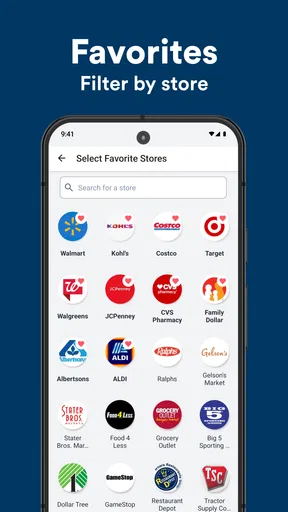
- Personalized offers help surface discounts from preferred stores.
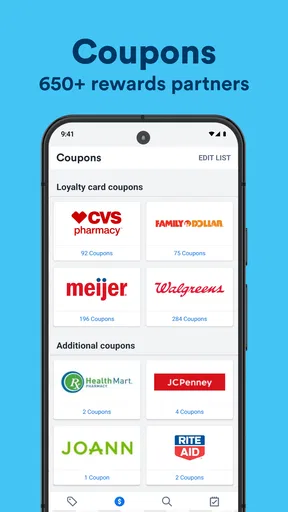
- Digital coupons can reduce costs without carrying paper flyers.
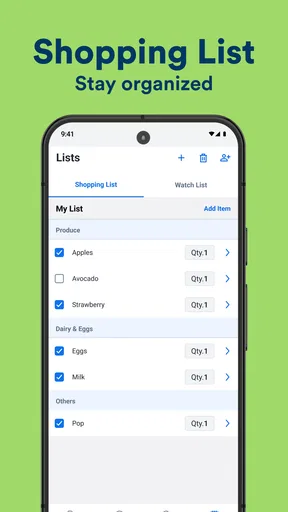
- Shopping lists keep selected deals organized in one convenient place.
- Store information often includes hours, locations, and contact details.
Limitations of Flipp: Shop Grocery Deals
- Deals and flyer coverage vary significantly by location.
- Some offers may require store loyalty memberships or accounts.
- Prices and promotions can change before the flyer period ends.
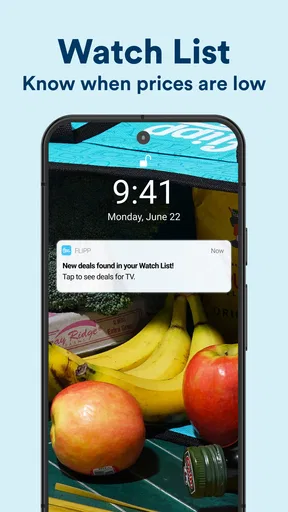
- The app may send frequent notifications unless alerts are adjusted.
- Not every retailer or product category is available in the app.
Similar Picks in This Category
View All
SHEIN-Shopping Online
Roadget Business PTE. LTD.4.8

Amazon Shopping
Amazon Mobile LLC4.4


Mercado Libre: Compras online
Mercado Libre4.8

Wish: Shop and Save
Wish US Holdings LLC4.7

Alibaba.com - B2B marketplace
Alibaba Mobile4.4
Frequently Asked Questions
What is Flipp: Shop Grocery Deals, and how does it work?
Flipp is a shopping app that brings weekly grocery flyers, retail promotions, coupons, and shopping lists together in one place. After entering your location, you can browse deals from participating stores, search for specific products, compare advertised prices, and save offers to a personalized list. Availability and displayed promotions may vary depending on your region and the retailers near you.
Can Flipp help me compare grocery prices between different stores?
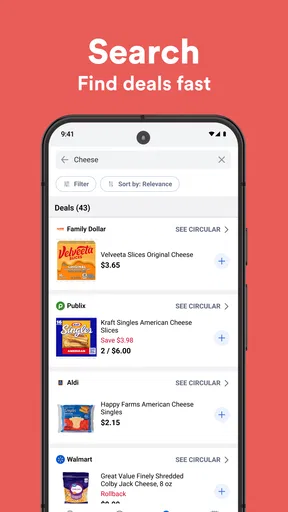
Yes. One of Flipp’s most useful features is the ability to search for an item and review matching deals from nearby participating retailers. This can make it easier to compare advertised prices before leaving home. However, the results depend on the flyers available in your area, and prices, package sizes, stock levels, and in-store conditions should always be confirmed with the retailer.
Does Flipp provide digital coupons or allow users to redeem deals directly in stores?
Flipp includes access to various coupons, promotions, and retailer offers, but the way each deal is redeemed can differ. Some offers may be clipped or saved inside the app, while others may direct you to a retailer’s website, loyalty program, or printed flyer terms. Carefully check the individual promotion for expiration dates, restrictions, membership requirements, and redemption instructions.
Is Flipp: Shop Grocery Deals free to download and use?
Flipp is generally available as a free app, allowing users to browse flyers, search deals, and create shopping lists without paying a download fee. Depending on the current version and region, the app may display advertising or include links to retailer services. Mobile data usage can also apply, especially when loading many flyers, so using Wi-Fi may be helpful.
Does Flipp work in every country and with every grocery store?
Flipp’s coverage is location-based rather than universal. It is designed to show flyers and promotions from retailers that participate in its supported markets, so the selection can differ considerably between cities and countries. After installing the app, enter your postal or ZIP code to see whether your preferred stores are listed. Smaller independent retailers may not appear.
